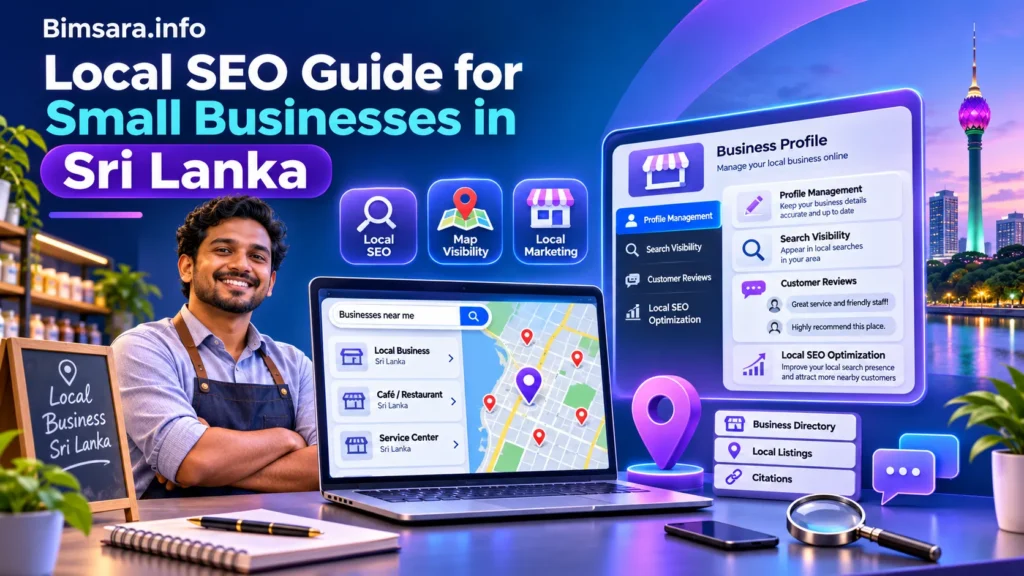
When people search for a service near them, they often want to contact a business, visit a location or compare local providers. For a small business in Sri Lanka, appearing clearly in Google Search and Google Maps can help potential customers discover the right service and make an informed decision. Local SEO is the process of improving your online presence so your business can be found for relevant searches in the areas you serve.
Local SEO is not a trick for reaching the top of every map result. Google explains that local results are mainly influenced by relevance, distance and prominence. You cannot pay Google or request a better organic local ranking. This guide explains how to build a useful local presence through an eligible Google Business Profile, accurate business information, location-focused website content, genuine customer reviews and ongoing measurement.
What Is Local SEO?
Local search engine optimization helps a business become more visible when people search for products or services in a particular place. Searches might include a service and city, a neighbourhood name or phrases such as “near me”. Results may appear in Google Maps, local listings and regular organic search results.
For example, a customer might search for a plumber in Kandy, a dentist in Colombo or a wedding photographer in Galle. A local business can improve the information Google and potential customers can find about it, but the exact results shown depend on the searcher’s location, query and other factors.
1. Set Up and Verify Your Google Business Profile
Google Business Profile is a free tool that allows eligible businesses to manage how they appear on Google Search and Maps. It is particularly useful for businesses that meet customers in person, either at a customer-facing location or by travelling to serve them. Online-only businesses are not eligible simply because they serve customers over the internet.
Start by checking whether a profile already exists for your business. If it does, request ownership or access through Google’s official process rather than creating a duplicate. Claim and verify the profile using the verification options Google makes available. Keep control of the account with the business and grant staff or agencies only the access they need.
Follow Google’s Get started with Google Business Profile and business representation guidelines. Use your real-world business name and do not add extra keywords, locations or promotional phrases to the name field unless they are genuinely part of the name used in the real world.
2. Choose the Right Business Category and Services
Your primary category should describe what the business actually is, not every service it offers. Choose the closest accurate category available and add relevant additional categories only when they genuinely represent the business. Categories help Google understand the business and match it to relevant searches.
Complete the services, products and business description fields where available. Describe what you do in natural language and explain the areas you serve. Avoid keyword stuffing, repetitive city lists and unsupported claims. A clear, accurate profile is more useful to customers than a description written only to repeat search phrases.
3. Keep Your Business Information Accurate and Consistent
Check the business name, address or service area, phone number, website URL and opening hours. Update holiday hours and temporary closures when necessary. Make sure the contact details on your website match the details customers see on your Business Profile and other important business listings.
If customers visit your premises, use the genuine address and make sure it is staffed and eligible under Google’s rules. If you travel to customers and do not receive them at your address, configure the profile as a service-area business and hide the residential or non-customer-facing address as required. Do not create fake offices or use virtual addresses that do not meet the guidelines.
For service-area businesses, specify the real areas you serve. A service area does not guarantee rankings in every town or district selected. Google’s distance factor still matters, and the profile should reflect actual operations rather than an attempt to appear physically present everywhere.
4. Improve Your Google Maps Visibility
Google says local results are mainly based on relevance, distance and prominence. Relevance describes how well the profile matches a search. Distance relates to how far the business is from the person searching. Prominence reflects how well-known the business is, using information such as links and reviews among other signals.
You can improve the information you control: verify the profile, complete the details, select appropriate categories, add accurate services and keep hours current. Add genuine photos of the premises, team, products or completed work where useful. Answer customer questions clearly and ensure the website linked from the profile works well on mobile.
No agency or consultant can guarantee a specific Google Maps position. A business that is farther away may not appear for a searcher simply because its profile has more keywords. Read Google’s official tips to improve local ranking to understand the factors and recommendations.
5. Create Useful Location-Focused Website Pages
Your website gives customers more detail than a short Business Profile can provide. Create a clear page for each core service and explain the areas where you genuinely operate. Include practical information such as what the service involves, who it is for, how customers can arrange it, and what makes your process useful.
If your business has multiple genuine branches, create a dedicated page for each location with accurate address, opening hours, contact information and unique information about that branch. Do not create dozens of near-identical city pages for places where you have no meaningful presence or service offering. Thin doorway pages can frustrate visitors and are not a sustainable SEO strategy.
Use natural page titles and headings, descriptive URLs, helpful internal links and relevant images with appropriate alternative text. Make the phone number and inquiry options easy to use on mobile. Google’s SEO Starter Guide explains how to create helpful, accessible content and make pages easier for search engines to understand.
6. Research Local Keywords in Sinhala, Tamil and English
Sri Lankan customers may search in English, Sinhala or Tamil, and may mix languages with place names or service terms. Research the actual phrases customers use rather than assuming everyone searches in one language. Consider service plus town, neighbourhood, district and common local wording, but only use phrases that accurately describe the business.
Start with conversations with customers, questions received by phone or WhatsApp, Google Search Console queries and keyword research tools. Search relevant terms yourself while noting that results vary by location and personalization. Group phrases by intent: people looking for information, comparing providers, checking prices or ready to contact a business.
Use the most relevant phrase naturally in a page title, main heading and copy where it helps explain the service. Do not repeat every spelling variation or list towns unnaturally. If you publish content in Sinhala or Tamil, have it reviewed by a fluent speaker and ensure the page genuinely serves that audience.
7. Build Genuine Customer Reviews and Respond Professionally
Reviews help potential customers understand other people’s experiences and can contribute to a business’s prominence in local search. Ask customers for honest feedback after a real transaction or completed service. You can share your Google review link or QR code in a follow-up message, on a receipt or at the point of service, provided the request is neutral.
Never buy reviews, write reviews for customers, offer discounts or gifts in exchange for positive feedback, or pressure customers to remove negative reviews. Google’s review policies prohibit incentives and fake engagement. Do not selectively ask only happy customers while discouraging others from leaving feedback.
Respond politely and specifically. Thank customers for useful feedback, address concerns without disclosing private information and invite complex complaints to be resolved through a suitable private channel. Avoid arguments, personal attacks or promotional replies. Read Google’s tips to get more reviews and its guidance for managing customer feedback.
8. Add Real Photos, Updates and Helpful Profile Details
Use authentic images that help customers recognize your business and understand what you offer. Depending on the business, useful images might include the storefront, signage, team, products, completed work or the service environment. Use current, good-quality photographs and respect the privacy and permissions of people shown.
Keep available profile features up to date, including hours, services, menus, booking or order links where relevant. Publish updates when you have useful news, such as a seasonal change, new service or event. Do not post repetitive keyword-heavy updates just to fill the profile. Google’s official 2026 Business Profile best-practices playbook also emphasizes accurate details, categories, service areas, photos, offerings and review management.
9. Make Your Website Mobile-Friendly, Fast and Trustworthy
Many local searches happen when customers are away from a desktop computer. Your website should load reliably on mobile connections, use readable text and provide easy-to-tap contact options. Make sure forms work, pages do not shift unexpectedly and important service details are visible without excessive scrolling.
Use HTTPS, keep software maintained, provide clear privacy information and make contact details easy to verify. Optimize images and avoid unnecessary scripts that delay the page. Our website speed and SEO guide explains performance improvements, while our SEO basics guide covers broader on-page and technical SEO.
10. Use Local Business Structured Data Carefully
Structured data can help search engines interpret information about a business and its pages. Where appropriate, use the relevant LocalBusiness subtype and provide accurate details such as the business name, address, telephone number, URL and opening hours. The markup must match visible page content and represent the actual business.
Structured data does not guarantee a rich result or higher local ranking. Do not mark up fake locations, reviews or services. Validate implementation with Google’s Rich Results Test where applicable and review Search Console for errors. Follow Google’s Local Business structured data documentation.
11. Measure Local SEO Performance
Use Google Business Profile performance reporting to review how people find and interact with your profile. Depending on availability, metrics can include searches, profile views, calls, website clicks and direction requests. Compare similar date ranges and consider seasonal changes rather than interpreting one week’s movement as a trend.
Google Search Console can show search queries, impressions, clicks and pages receiving organic traffic. Use analytics to measure meaningful website actions such as completed inquiries or bookings. Track the quality of leads as well as traffic: a larger number of irrelevant visits does not necessarily help the business.
Google explains available profile metrics in its Business Profile performance report. Keep a simple monthly record of profile actions, organic search traffic, calls and completed leads so you can decide what to improve next.
12. A Practical Local SEO Checklist for Sri Lankan Businesses
- Confirm that the business is eligible for a Google Business Profile and claim the correct profile.
- Complete verification and keep account ownership with the business.
- Choose an accurate primary category and relevant additional categories.
- Check the business name, address or service area, phone number and hours.
- Add genuine photos and up-to-date service or product information.
- Create useful website pages for real services and genuine locations.
- Research local search phrases in the languages your customers use.
- Ask for honest reviews without offering incentives or filtering feedback.
- Respond to reviews professionally and protect customer privacy.
- Make the website fast, mobile-friendly, secure and easy to contact.
- Use accurate LocalBusiness structured data where appropriate.
- Review Business Profile performance and Search Console data regularly.
Common Local SEO Mistakes to Avoid
Avoid creating duplicate profiles, using a virtual address as a storefront, adding keywords to the business name, selecting unrelated categories or listing service areas you do not actually cover. Do not buy reviews, use fake customer accounts or publish fabricated testimonials. Avoid publishing thin location pages that repeat the same text with only the town name changed.
Do not assume that a high review count guarantees a top Maps position or that an SEO package can guarantee a specific ranking. Google’s systems consider multiple factors, and distance is not something a business can change for an individual searcher. Focus on accurate information, helpful content and a good customer experience.
Frequently Asked Questions
Is Google Business Profile free in Sri Lanka?
Google describes Business Profile as a free tool for eligible businesses to manage their presence on Search and Maps. Optional advertising products are separate. Eligibility and verification requirements still apply.
Can an online-only business create a Google Business Profile?
Google Business Profile is intended for businesses that interact with customers in person at a location or by travelling to customers. An online-only business without in-person customer contact is generally not eligible.
How long does local SEO take to work?
There is no guaranteed timeline. Profile verification, changes to business information, competition, location and the quality of your website all affect what customers see. Monitor progress over time and avoid promises of instant rankings.
Do Google reviews improve local rankings?
Google identifies review count and positive ratings as among the prominence-related information that can influence local results. Reviews are not the only factor, and businesses must follow the rules against fake engagement and incentives.
Do I need a website if I have a Google Business Profile?
A profile can help eligible customers discover and contact a business, but a website provides space for detailed service information, portfolios, policies, useful content and conversion journeys. The two can support each other.
Improve Your Local Visibility with Bimsara.info
A strong local SEO foundation starts with accurate business information and a website that answers customer questions clearly. Build your Google Business Profile carefully, publish useful service and location content, earn genuine customer feedback and measure the inquiries that matter to your business.
If your business needs a website that supports local search and customer inquiries, explore Bimsara.info web design services, read why small businesses in Sri Lanka need a website, or contact Bimsara.info to discuss your goals. We can help plan a practical website structure and local SEO foundation for your services.
Editorial note: Google Business Profile guidance, review policies, Search Central documentation and the official 2026 Business Profile best-practices playbook were reviewed in November 2026. Google may update its products and policies; check the official sources linked in this article for the latest requirements.