How much does WordPress website maintenance cost in Sri Lanka in 2027? The answer depends on what your site does, how often it changes, the security and backup responsibilities involved, and the support response time you expect. WordPress software is open source, but keeping a business website reliable requires ongoing work beyond the original design and development fee.
This guide explains what maintenance should include, how to compare Sri Lankan support packages, the difference between hosting and maintenance, and how to estimate an annual budget. The 2027 figures below are planning allowances based on services and publicly advertised offers reviewed in November 2026—not confirmed 2027 provider tariffs or binding Bimsara.info quotations.
WordPress Website Maintenance Cost in Sri Lanka: Quick Overview
For budgeting purposes, consider three illustrative monthly bands: LKR 5,000–12,000 for essential care of a simple informational website; LKR 12,000–30,000 for an actively updated business website; and LKR 30,000–60,000 or more for a complex or revenue-generating WordPress or WooCommerce site. These are editorial scenarios, not measured Sri Lankan market averages. A do-it-yourself website might have lower direct service charges but still requires time, skills and paid infrastructure.
The actual price should be determined by an itemized scope. Public Sri Lankan provider pricing can vary substantially depending on update frequency, backup retention, monitoring and included support hours. Check current packages and exclusions directly with providers rather than comparing only the advertised monthly figure.
1. Why Does a WordPress Website Need Ongoing Maintenance?
A website is not finished forever when it launches. WordPress core, themes and plugins receive updates, hosting environments change and new security issues can emerge. Business information, product catalogs and contact details also become outdated over time. Maintenance helps reduce the chance of preventable failures and makes it easier to recover when problems occur.
According to the official WordPress updating guidance, site owners should prepare appropriate backups before important updates. Updates can improve security and compatibility, but they can also affect custom themes, plugins or integrations. Testing and recovery planning are part of responsible maintenance.
2. What Should a WordPress Maintenance Package Include?
Core, Theme and Plugin Updates
A provider should check available updates, identify compatibility concerns, apply them in a controlled order and test important functionality afterwards. Routine patching may be automated for some sites, but major updates and complex integrations benefit from staging or a deliberate test process. Ask who decides when an update is safe and what happens if it breaks a page.
Backups and Recovery Testing
Backups should include the WordPress database and the files needed to restore the site, such as uploads, themes and configuration. Clarify how often backups are taken, how long they are retained, whether copies are stored separately from production hosting and who can restore them. A backup that has never been tested is not a complete recovery plan.
For a small business brochure site, daily or periodic backups may be enough depending on update frequency. An e-commerce site handling frequent orders needs a backup and recovery plan that accounts for changing order and customer data. See WordPress backup documentation for core concepts.
Security Monitoring and Access Control
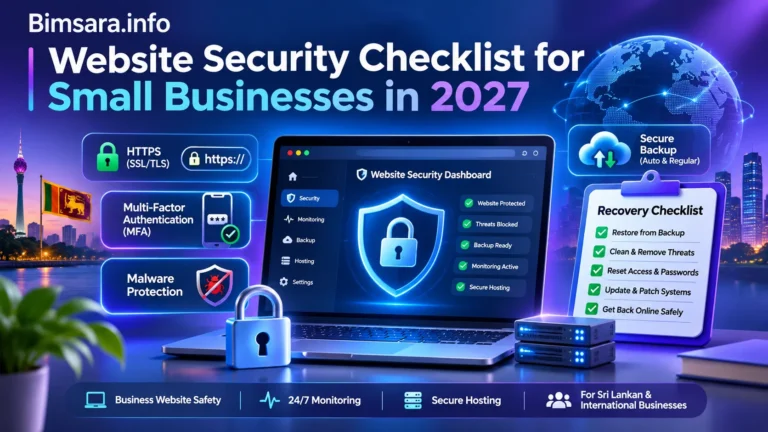
Maintenance should include timely updates, strong administrative authentication, appropriately limited user permissions, monitoring for suspicious activity and a documented incident response process. HTTPS helps protect data in transit, but an SSL certificate alone does not make a site secure. The WordPress security hardening guidance provides practical measures for reducing risk.
Uptime, Forms and Functional Checks
A site can be online while essential functionality is broken. Confirm whether the provider checks inquiry forms, email delivery, important buttons, navigation, backups and key conversions. For WooCommerce, add cart, checkout, payment, inventory and order-notification testing. Agree on how quickly the provider will respond if the site becomes unavailable.
Performance and Technical Health
Regular reviews can identify oversized images, slow server responses, excessive scripts or plugin conflicts. Use Google PageSpeed Insights and real user data where available to prioritize meaningful changes. Maintenance is different from a major performance optimization project; clarify which fixes are included and which need a separate quote. Read our website speed, sales and SEO guide for a practical explanation.
3. Hosting vs Maintenance: What Are You Paying For?
Hosting provides the server environment that runs your website. A maintenance plan covers services that keep the website itself updated, monitored and functioning. Some managed hosting packages include automated backups, monitoring and technical assistance; other providers offer these separately.
Check whether your quote includes hosting, the domain name, email, SSL configuration, off-site backups, premium plugin renewals, malware cleanup and content edits. A package described as all-inclusive may still limit support hours or exclude restoration after a serious incident. Ask which accounts your business owns and whether you can move to another provider later.
4. Current Sri Lankan Maintenance Pricing Examples
Published local maintenance package listings reviewed in November 2026 show that providers use different price models and inclusions. Examples include the Ceylond website care packages and the Sapphire Digital Studio maintenance service. Publicly advertised plans elsewhere in the market may be quoted from around LKR 15,000 to LKR 50,000 per month, but these should not be treated as a comprehensive survey or a like-for-like rate comparison.
A current proposal is more useful than a single price advertised online. Verify the provider’s actual fees, taxes, backup frequency, support availability, number of included changes, response commitments and exclusions. Any package figures published during 2026 may change by 2027.
5. Example Annual WordPress Maintenance Budgets
Scenario A—simple business website: a hypothetical LKR 8,000 monthly care plan costs LKR 96,000 a year. If domain and hosting renewals total an assumed LKR 25,000, the illustrative annual website operations budget is LKR 121,000 before additional licenses, tax or one-off work.
Scenario B—active business website: a hypothetical LKR 20,000 monthly support plan costs LKR 240,000 a year. Adding an assumed LKR 40,000 for hosting and domain and LKR 30,000 for premium licenses yields LKR 310,000 annually before out-of-scope changes.
Scenario C—WooCommerce store: a hypothetical LKR 40,000 monthly care plan costs LKR 480,000 a year. With an assumed LKR 80,000 in hosting and domain costs and LKR 60,000 for renewals, the fixed annual care budget becomes LKR 620,000. Payment gateway fees, advertising, stock, shipping and emergency development are excluded.
These are arithmetic examples designed to show how expenses add up, not price promises or provider estimates. Your real budget may be lower or higher. Compare the annual total, especially when a plan includes setup fees, minimum contract terms or foreign-currency renewals.
6. How WooCommerce Maintenance Differs
WooCommerce stores handle orders, customer information, product inventory and payments, which increases the consequences of downtime. Updates should be tested against theme templates, gateway plugins, shipping rules, checkout and transactional email. Work that seems minor on a brochure site can interrupt a live store’s sales if implemented without testing.
Ask whether the support agreement includes monitoring failed orders, verifying gateway callbacks, resolving plugin conflicts and providing a safe staging process. Also establish a recovery plan that avoids overwriting new orders with an old database backup. For more on platform and ongoing costs, see our WooCommerce website cost guide and Sri Lankan payment gateway comparison.
7. Should You Maintain WordPress Yourself or Hire a Professional?
A small site with a straightforward setup may be manageable by an owner who understands updates, backups and basic troubleshooting. You still need time to check for issues and test recovery. For organizations with limited technical capacity, a provider can offer a defined process and a clear point of contact when something fails.
Compare the cost of professional support with the potential business impact of downtime, lost inquiries, broken checkout and delayed security work. A professional plan is not a guarantee of zero incidents. The quality of response, documentation, transparency and recovery procedures matters more than a claim that your site will never have a problem.
8. Questions to Ask Before Signing a Maintenance Agreement
- Which WordPress core, theme and plugin updates are included?
- How often are backups made, where are they kept and has restoration been tested?
- Are security monitoring, malware cleanup and incident response included?
- Which pages and business-critical functions are tested after updates?
- Does the monthly fee include hosting, domain renewal and premium plugins?
- How many support hours or content changes are included each month?
- What are the response times during business hours and for urgent outages?
- Will my business retain administrator, domain and hosting access?
- What counts as out-of-scope work and how are extra charges approved?
- Can the plan be cancelled or transferred to another service provider?
9. Common Maintenance Mistakes to Avoid
One common mistake is treating backups as optional until a problem occurs. Another is installing several security or caching plugins without checking for conflicts. Some businesses rely on a single administrator account shared among staff, which makes access difficult to audit. Others postpone updates indefinitely because they are afraid something will break.
Document responsibilities, use individual accounts where practical, keep reliable off-site backups and test high-risk changes before deploying them. If your current site has accumulated outdated plugins or functionality that is hard to maintain, consider a focused technical improvement project. Our 10 website redesign warning signs can help you decide whether maintenance alone is enough.
10. How Maintenance Supports SEO and Customer Trust
Maintenance helps keep pages accessible, internal links functional, important content current and forms working. Fixing technical errors can support discoverability, but purchasing a maintenance plan does not guarantee better Google rankings. Ongoing content strategy and SEO work may be separate services.
Check Search Console periodically for indexing and technical issues, review your most important service pages and correct out-of-date information. Our small business SEO guide outlines a practical ongoing routine. If planning a larger rebuild, start with the 2027 website redesign checklist.
Frequently Asked Questions
Is WordPress website maintenance mandatory?
There is no universal requirement to purchase a paid maintenance package. However, every production site needs someone responsible for updates, backups, security and recovery. Neglecting these tasks increases avoidable operational risks.
How often should I update WordPress plugins?
Review security and compatibility updates regularly and prioritize urgent fixes. The safe installation schedule depends on the site and the risk of a change. Back up important data and test business-critical functions after updates.
Does website maintenance include SEO?
Some plans include technical checks or minor SEO-related fixes, but keyword research, content production, link-building campaigns and broader SEO strategy are often separate services. Confirm the deliverables in writing.
Do I need a staging website?
A staging environment is especially useful for complex sites, WooCommerce stores and major updates. It allows testing before production changes. Staging does not eliminate all risk, so maintain backups and a rollback plan.
Can maintenance reduce website downtime?
Monitoring, updates, sound hosting and tested recovery procedures can reduce the likelihood and duration of some incidents. No provider can guarantee that every possible outage or security event will be prevented.
Plan WordPress Maintenance for Your Business
The right WordPress maintenance budget depends on the value of your website to your business and the level of technical responsibility you want to delegate. Start with an inventory of your site, existing subscriptions, important integrations and expected support requirements. Request a written proposal that separates recurring care from optional improvements.
Explore Bimsara.info WordPress development services and contact Bimsara.info to discuss your website’s maintenance and improvement requirements. For a broader budget comparison, see our website cost guide for Sri Lanka. Request a tailored quotation rather than assuming the illustrative figures in this article are Bimsara.info prices.
Editorial note: WordPress documentation and publicly visible Sri Lankan provider information were reviewed in November 2026. This article is a 2027 planning guide; future pricing, service terms and security guidance may change. Verify current package details with providers and consult the linked official WordPress documentation.