If customers add products to their carts but leave without completing checkout, you have an opportunity to improve your online store. WooCommerce cart abandonment happens when shoppers begin a purchase journey but do not complete an order. Some visitors are simply researching, while others leave because shipping costs, account requirements, payment problems or a confusing checkout make buying difficult.
This practical guide explains how to reduce WooCommerce cart abandonment and increase sales by improving the complete purchasing experience. It focuses on Sri Lankan online stores while applying broader WooCommerce and checkout usability principles. Not every change will increase conversions: measure your own customers’ behavior, test improvements carefully and avoid promising a universal conversion uplift.
What Is WooCommerce Cart Abandonment?
Cart abandonment occurs when a shopper adds products to an online cart but does not complete a purchase. Checkout abandonment is a narrower measure involving people who started the checkout process and did not finish. Keep these definitions separate when comparing analytics tools or external studies.
A simple illustrative calculation: if 100 shopping carts were created and 30 produced completed orders, the cart abandonment rate would be 70%. This is not a measured result from Bimsara.info or a prediction for your store. The calculation depends on how your analytics defines a cart and an order, and repeat sessions can affect the figures.
Research published by Baymard Institute documents common checkout friction and shows why abandonment is widespread in online shopping. Its aggregated estimates come from multiple studies with different methodologies and should not be treated as your store’s own benchmark.
1. Show Shipping Costs Before Customers Reach the Final Step
Unexpected delivery charges can make a product feel more expensive than advertised. Show delivery information on product and cart pages, explain the geographic areas you serve, and make it easy for shoppers to estimate the full payable amount. If costs depend on district, weight or order value, explain how charges are calculated instead of surprising customers at the payment step.
WooCommerce provides shipping zones and methods such as flat rate, free shipping and local pickup. Set up shipping zones that match where you actually deliver, and test addresses in Colombo, Kandy, Galle and any additional service areas relevant to your business. Review the WooCommerce shipping zones documentation when configuring coverage and methods.
If you offer free delivery above a minimum order value, show the threshold accurately and explain exclusions. Avoid misleading countdowns or claiming free shipping while hiding mandatory handling fees.
2. Allow Guest Checkout When Appropriate
Forcing a customer to create an account before paying can create unnecessary work, especially for a first-time buyer who wants only one item. Where your products, payment method and business processes permit it, offer guest checkout and let shoppers create an account after completing their purchase.
WooCommerce includes account and privacy settings that control guest checkout and account creation. Confirm the specific behavior of your checkout configuration and extensions, rather than assuming every login or registration plugin will behave the same way. See WooCommerce accounts and privacy settings.
Subscriptions, memberships and other products may require persistent customer accounts. If an account is essential, explain why and keep the registration process as straightforward as possible.
3. Reduce Unnecessary Checkout Form Fields
Every checkout field should serve a practical purpose. For delivery orders, you may need a recipient name, telephone number and suitable delivery address, but asking for unrelated personal details can make checkout feel longer and more intrusive. Mark required fields clearly and use appropriate mobile keyboard types for phone numbers and email addresses.
Provide persistent visible labels, concise instructions and clear error messages. Consider a single address format that your courier can actually use. For Sri Lankan delivery, verify that district, city, postal code and local address requirements work with the selected courier and payment gateway instead of importing an unsuitable form template.
If you customize WooCommerce Checkout Blocks, confirm which fields and integrations support the block-based checkout. A customization that worked with the classic shortcode checkout may need changes for newer block architecture. Refer to WooCommerce cart and checkout customization guidance.
4. Offer Payment Methods Your Customers Can Use
A customer who reaches checkout but cannot use the available payment method may leave. Depending on eligibility, consider supported local and international card processing, bank transfers and cash on delivery. Present available options clearly and explain when payment is collected.
Compare merchant onboarding, transaction fees, settlement terms, refunds and compatibility with your WooCommerce checkout. Some gateway extensions support classic checkout but not Checkout Blocks, so verify current compatibility before switching templates. Test successful, failed, cancelled and pending payments using the provider’s supported test process.
Never mark an order as paid merely because the browser returns to a success page; payment status should be verified with the gateway. Our Sri Lankan payment gateways comparison covers provider selection and merchant considerations.
5. Improve Mobile Checkout and Page Performance
Mobile visitors need a checkout that works with smaller screens, variable connection quality and touch input. Make the order summary, delivery charges, payment selection and final button easy to read. Ensure menus, coupon fields and form validation do not unexpectedly shift the page or hide important controls.
Optimize hero and product images, reduce unnecessary third-party scripts and avoid heavy popup tools that interrupt checkout. Monitor real-user Core Web Vitals where available: Google recommends good results for Largest Contentful Paint, Interaction to Next Paint and Cumulative Layout Shift. A fast checkout is valuable for usability, although performance alone does not guarantee sales.
Use PageSpeed Insights and our website speed, sales and SEO guide to identify meaningful improvements. Test the complete payment journey after changing caching or performance plugins; customer-specific cart and checkout pages must not serve stale or other shoppers’ data.
6. Build Trust Before Asking for Payment
Show accurate product images, descriptions, sizes, materials and stock information. Provide clear business contact details, delivery policies, refund procedures and realistic dispatch estimates. A legitimate store should make the total price and seller’s identity easy to understand before checkout.
Use HTTPS, maintain your website and avoid exaggerated security claims. Display trust badges, ratings and testimonials only when they are legitimate and relevant. Do not fabricate customer reviews or imply a third-party certification that you have not obtained. Read our common e-commerce design mistakes guide for broader usability issues.
7. Make Coupon Codes and Promotions Easy to Understand
A prominent coupon box can prompt shoppers to leave checkout to search for discounts. If discount codes are important to your store, present them without overshadowing the purchase action. Test whether an expandable promo field or an automatically applied eligible offer gives your customers a clearer experience.
Publish honest promotional terms, expiry dates and exclusions. Avoid fake urgency, misleading crossed-out prices and arbitrary countdown timers. A promotion should help customers evaluate an offer rather than pressure them with inaccurate information.
8. Review Cart Recovery Emails and Messages
Some shoppers leave because they are comparing products or are temporarily interrupted. A thoughtful reminder may bring interested shoppers back, but a recovery system is not permission to send unsolicited messages. Establish a lawful basis for contacting customers, explain how data is used and honor opt-outs and applicable privacy requirements.
Choose a maintained WooCommerce-compatible recovery solution and test when it records a cart, whether it handles guest shoppers, and how it prevents duplicate reminders. If a reminder includes a cart link or incentive, check the link, expiry and coupon rules. Do not email payment details or sensitive account information.
Consider a short, helpful reminder that shows the items left behind and a clear return link. Excessive messages, repeated discounts or misleading stock warnings can reduce trust. Evaluate recovered completed orders and the cost of sending campaigns rather than counting every reminder click as revenue.
9. Make Order Confirmation and Support Reliable
Even after payment, customers need to know whether the order was successful. Configure accurate confirmation pages and transactional emails, and verify that your store sends them consistently. Clear order numbers, delivery expectations and contact instructions reduce uncertainty.
For bank transfers or cash on delivery, distinguish an order that has been placed from one that has been paid. Train staff to handle pending, failed, on-hold, cancelled and refunded orders correctly. Check WooCommerce order-status documentation and the payment provider’s rules, especially when payment notifications arrive asynchronously.
10. Track the Checkout Funnel Instead of Guessing
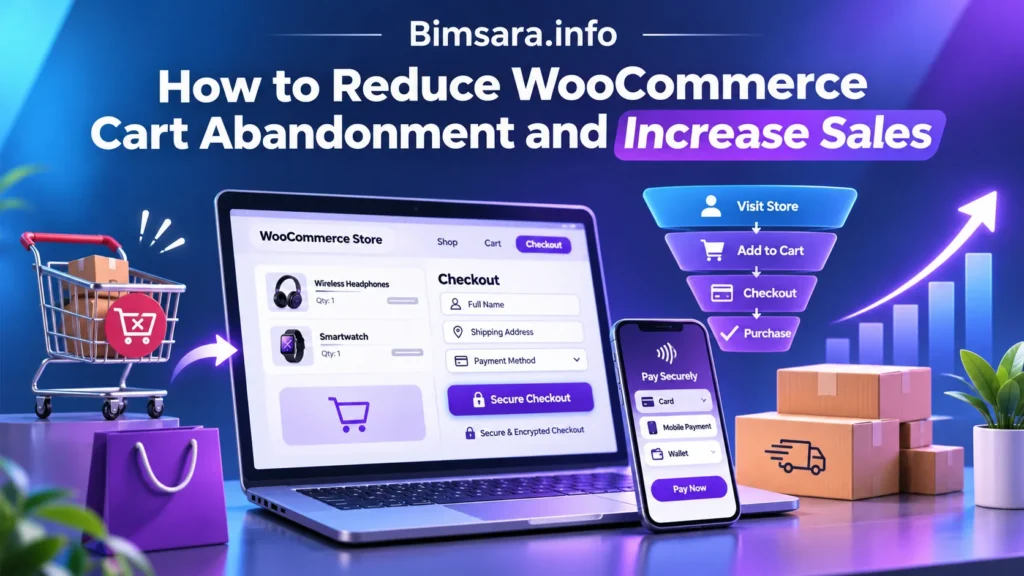
Define the steps customers take: product view, add to cart, begin checkout, select payment and complete purchase. Use an analytics configuration appropriate for your platform and privacy requirements. Verify that purchase events represent real completed orders and that payment redirects do not create duplicate transactions in reporting.
Review conversion rates separately for mobile and desktop, payment methods, delivery locations and important product categories when your data volume allows. Compare similar periods and account for campaigns or seasonal promotions. Investigate specific problems—for example, repeated shipping calculation errors—before committing to an expensive redesign.
A/B test one meaningful change at a time and assess results with enough data to make a useful judgment. A checkout improvement may be worthwhile because it reduces customer frustration even if a small test cannot prove a change in revenue. Our landing page versus website comparison explains conversion-oriented design principles.
WooCommerce Cart Abandonment Optimization Checklist
- Show total prices, delivery charges and policies before payment.
- Offer eligible guest checkout or explain why an account is required.
- Remove unnecessary fields and test mobile form validation.
- Confirm payment gateway compatibility with the active checkout architecture.
- Test successful, failed, cancelled and pending transactions.
- Use fast product images and avoid intrusive checkout scripts.
- Provide honest product descriptions, contact details and refund information.
- Use transparent promotions and avoid misleading urgency.
- Configure consent-aware cart reminders and order confirmation messages.
- Measure completed orders and checkout failures, then test improvements carefully.
A Practical Plan for Sri Lankan Online Stores
Begin with the biggest friction points. A new store might first improve delivery-cost visibility and payment reliability, then streamline the mobile checkout form. A growing store could add cart recovery, better product information and analytics. A high-volume business may need deeper technical analysis of payment callbacks, inventory synchronization and fulfillment operations.
Do not install every optimization plugin at once. Adding more tools can introduce performance, privacy and compatibility issues. Choose a short list of changes, test on staging if practical and monitor customer behavior after release. For a broader business planning framework, read our guide to starting an online store in Sri Lanka.
Frequently Asked Questions
What is a normal WooCommerce cart abandonment rate?
There is no single normal rate for every store. Rates differ by industry, device, traffic source and measurement method. Use your own analytics baseline and interpret external benchmarks cautiously rather than assuming they predict your results.
Can guest checkout reduce abandoned carts?
Guest checkout can remove a barrier for some buyers, especially first-time customers. It is not appropriate for every business model. Test its impact while ensuring you can still fulfill orders and provide support.
Which payment gateway is best for reducing checkout abandonment in Sri Lanka?
The right choice depends on customer payment preferences, merchant eligibility, fees, settlement and dependable WooCommerce integration. A gateway that reliably supports your checkout and customers’ preferred payment methods may be more useful than the one with the lowest advertised fee.
Are abandoned-cart recovery emails allowed?
They require careful attention to consent, privacy and applicable marketing rules. Do not assume that providing an email address during checkout automatically authorizes promotional reminders. Configure opt-outs and data retention responsibly.
Will speeding up WooCommerce guarantee more sales?
No. Faster pages can reduce frustration, but sales also depend on product demand, value, trust, pricing and delivery. Measure both page experience and completed purchases.
Improve Your WooCommerce Checkout with Bimsara.info
Reducing cart abandonment starts with understanding why customers hesitate. Transparent shipping, usable forms, dependable payments and a faster mobile experience can make the purchasing process easier. Focus on improvements your store can test and maintain over time.
Explore Bimsara.info WooCommerce development services, see our WooCommerce website cost guide, or contact us to discuss checkout improvements. Share your store URL, payment methods, delivery rules and the checkout issues you have noticed to request a project-specific consultation.
Editorial note: WooCommerce documentation, Google performance guidance and publicly accessible checkout usability research were reviewed in November 2026. Platform extensions, checkout compatibility and legal requirements can change; confirm current details before implementing any recommendations.