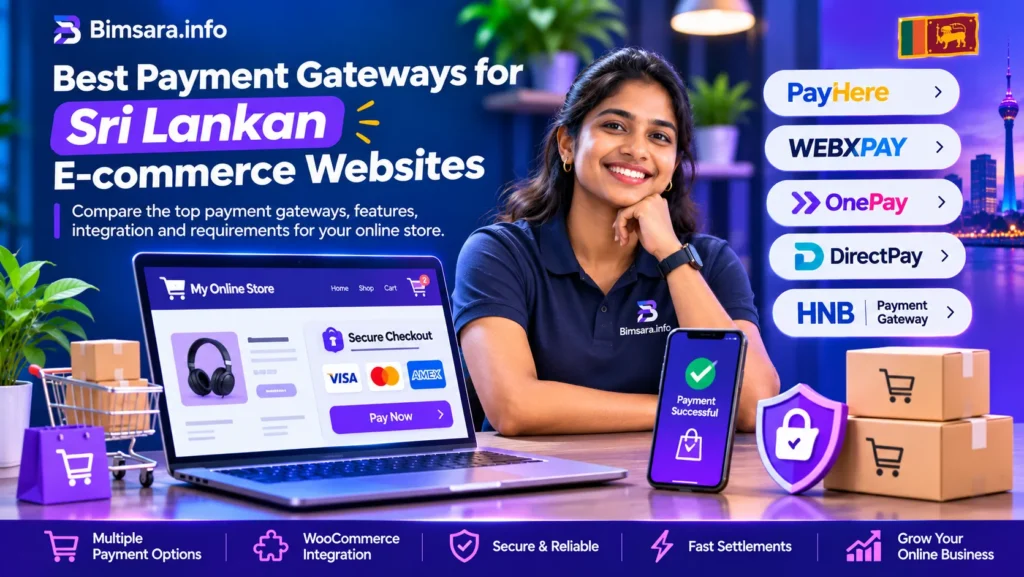
Choosing the best payment gateways in Sri Lanka for an e-commerce website is about more than finding the lowest transaction fee. Your customers need a convenient checkout, while your business needs dependable settlement, clear costs and a solution that integrates with your online store. This guide compares options using publicly available provider information reviewed on 18 November 2026. Rates and eligibility can change; obtain a written merchant quotation before signing up.
1. PayHere: A practical starting point for small businesses
PayHere publishes Lite, Plus and Premium plans. Its Lite plan has no monthly service fee and advertises a 3.30% processing rate, subject to the applicable payment method and terms. Its knowledge base lists Lite limits of LKR 50,000 per transaction and LKR 200,000 per month. Plus and Premium offer higher limits. PayHere describes its usual payout cycle as T+2. It also advertises HelaPay at 1.99% across its plans.
For a new WooCommerce store, compare the available integration, supported checkout features and transaction limits against your expected order values. Check the official PayHere fees, plan limits and settlement information. Review the application process before preparing merchant documents.
2. WEBXPAY: An option for growing merchants
WEBXPAY’s XGATEWAY supports multiple payment channels and offers APIs and integrations. Its published Starter package lists a LKR 10,000 subscription for 12 months, LKR settlement on the next business day (T+1), and no stated monthly volume commitment. A provider pricing page lists a 3.00% Starter rate for local Visa and Mastercard payments; other card types and foreign transactions can have different rates.
Compare the package details carefully because subscription charges, activation fees and rates vary by product and merchant category. Confirm the current WooCommerce integration, supported currencies, refund workflows and whether the quoted settlement arrangement applies to your bank account. See WEBXPAY package pricing and published transaction rates.
3. OnePay: Consider for WooCommerce and API integrations
OnePay provides developer documentation for WooCommerce, Shopify and other integrations. Its WooCommerce setup uses merchant credentials, and its API documentation describes a sandbox for development. These resources make it worth evaluating when your store needs an integrated checkout or custom payment workflows.
Review the OnePay pricing page and request a current written quote covering local and international card fees, recurring charges, settlement timing and transfer fees. A single universally applicable rate or payout schedule could not be confirmed from the public material reviewed. See the merchant onboarding guide and integration documentation for technical requirements.
4. DirectPay: Compare online and remote payment options
DirectPay offers an internet payment gateway and its FAQ identifies WooCommerce and OpenCart among relevant e-commerce platforms. Merchants may also evaluate payment links if they sell through social media or communicate with customers directly. Before selecting the service, confirm merchant eligibility, current card processing rates, settlement, refund support and the maintenance status of the integration.
Consult the DirectPay internet payment gateway page and official FAQ. Specific current online gateway fees and payout terms were not independently confirmed, so request a merchant proposal rather than assuming a rate from another DirectPay product applies.
5. Bank-provided internet payment gateways
Businesses with established banking relationships may also request internet payment gateway proposals directly from their bank, including HNB. This can be useful for merchants with particular acquiring, settlement or reconciliation requirements. Ask the bank about its currently available offering, onboarding, supported cards, security controls, setup costs and integration options.
Visit the HNB website to contact its merchant services team. Current public HNB gateway fees, settlement terms and WooCommerce compatibility were not verified for this guide; do not assume a bank gateway includes a ready-made plugin.
Payment gateway comparison at a glance
PayHere Lite: advertised 3.30% processing, no monthly service fee, published T+2 payout cycle and plan limits. WEBXPAY Starter: published 3.00% local Visa/Mastercard rate, LKR 10,000 for 12 months and advertised T+1 LKR settlement. OnePay: documented WooCommerce integration; request current fees and payout terms. DirectPay: internet gateway with WooCommerce mentioned in its FAQ; request current fees and payout terms. Bank gateways: obtain an individual proposal. These comparisons are not like-for-like quotes, and taxes, payment type, merchant terms or extras may affect costs.
How to compare the real cost of accepting payments
Calculate your expected monthly sales, average order value and mix of local and foreign cards. Compare percentage fees, fixed fees, subscriptions, setup costs, currency conversion, refunds and chargebacks. A lower advertised percentage may not save money for a business with low sales volume if it comes with a recurring subscription.
For illustration, at LKR 100,000 in monthly card sales, a hypothetical 3% fee costs LKR 3,000 before other charges. A hypothetical 2.5% fee plus a LKR 1,000 subscription costs LKR 3,500. At higher sales volumes the comparison may change. These examples are arithmetic illustrations, not provider quotations.
Settlement is the transfer of collected funds into your merchant bank account. Ask whether advertised T+1 or T+2 cycles use business days, when cutoffs apply, and what happens during bank holidays, disputes or risk reviews. Plan enough working capital to pay suppliers and couriers while funds are pending.
Merchant registration and onboarding
Prepare your business registration documents where applicable, identity and bank account information, contact details, product descriptions and website policies. Providers may request additional documentation according to the business model, products, risk assessment and merchant category. Confirm whether your business structure qualifies before building around a particular gateway.
Your website should present clear prices, delivery terms, refund and privacy policies and accessible contact information. If you are still setting up your business, read our guide to starting an online store in Sri Lanka.
WooCommerce integration: What to test before launch
Check whether the payment plugin is actively maintained and supports your WordPress and WooCommerce versions, checkout blocks and required currencies. Use a test environment where possible. Verify successful and failed payments, cancelled checkouts, duplicate callbacks, refunds and order status updates. Server-side payment verification is essential; never mark an order paid solely because a browser returns to a success page.
Keep credentials private, use HTTPS and restrict administrative access. Ask the provider about PCI DSS responsibilities and authentication measures such as 3-D Secure. Avoid storing raw card details on your website. Review our e-commerce design mistakes guide and WooCommerce versus Shopify comparison when planning checkout.
Which payment gateway should you choose?
For a small store with low initial volume, PayHere’s published no-subscription Lite option is worth comparing, provided the payment limits suit your products. For a growing merchant prioritizing cash flow, WEBXPAY’s advertised next-business-day LKR settlement is worth investigating. For developer-led integrations, compare OnePay’s documentation and DirectPay’s applicable integration options. Established merchants can also solicit a bank proposal. This is a shortlist based on documented features, not a universal ranking or an endorsement.
Frequently asked questions
Can I accept international cards?
Some providers support foreign cards and currencies, but eligibility, conversion charges and settlement currencies vary. Confirm the exact arrangement with your gateway before advertising international payments.
Can I offer cash on delivery as well?
Yes. WooCommerce can support different payment methods, including cash on delivery. Define order confirmation, courier collection and failed-delivery procedures alongside online payments.
How long does merchant approval take?
Approval depends on the provider, business documents, website readiness and risk checks. Ask for an estimated onboarding timeline and do not promise customers a payment method before it is activated and tested.
Can I switch gateways later?
Yes, but plan for reconciliation, refunds for earlier transactions, stored payment tokens and subscriptions. Test the replacement integration before disabling the existing checkout.
Need help setting up your e-commerce payment gateway?
A dependable payment experience starts with the right platform, a clear checkout and properly tested integration. Explore Bimsara.info WooCommerce development services, review our website cost guide or contact us to discuss your store requirements. Merchant approval and provider fees remain subject to the selected provider’s terms.
Editorial note: Provider information reviewed 18 November 2026. Public rates are indicative and may change. Please confirm final pricing, eligibility and settlement directly with the provider.