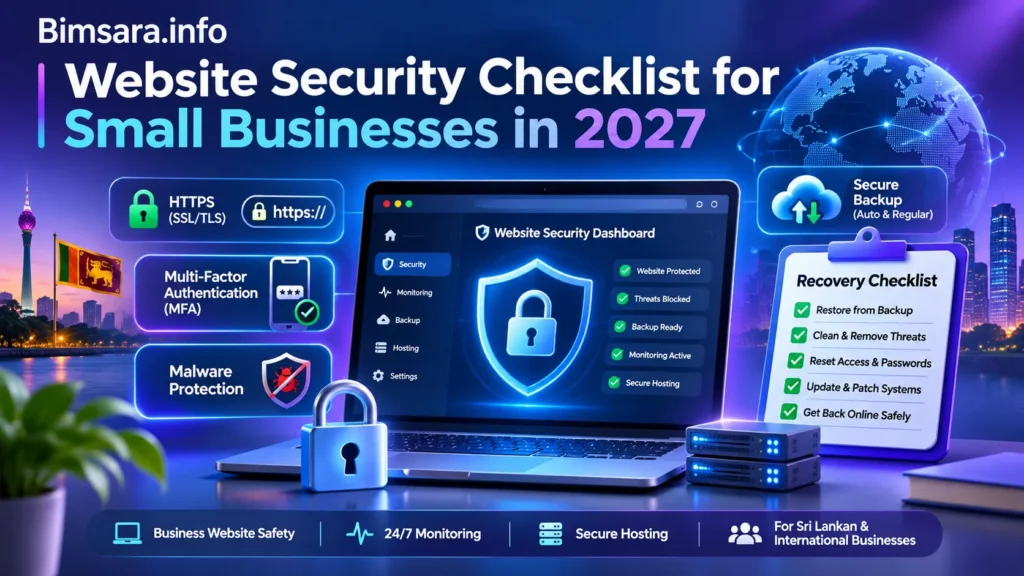
Website security matters to every small business, whether you serve customers in Sri Lanka, the United States, the United Kingdom, Australia or elsewhere. A hacked business website can interrupt inquiries, expose customer information, redirect visitors to fraudulent pages or disrupt online orders. The good news is that a practical security routine can reduce many common risks without requiring a large in-house IT team.
This website security checklist for small businesses in 2027 covers WordPress security, HTTPS, authentication, backups, malware prevention, hosting, monitoring and incident recovery. It draws on established guidance available in November 2026. Because security threats and applicable laws change, review your controls and local obligations regularly rather than treating this as a once-only setup.
Why Small Business Website Security Matters
A small site can still be valuable to attackers. Automated scans can target outdated plugins, weak credentials and exposed software regardless of business size or country. An incident may result in downtime, lost orders, spam pages in search results, data loss or costly recovery work. A professional website should be designed to protect customers and allow the business to recover quickly if something goes wrong.
No hosting plan, plugin or SSL certificate guarantees complete protection. Good security uses multiple layers: preventive controls, monitoring, limited access, backups and a tested response plan. If you are reviewing a new website, consider these requirements before launch using our 2027 website redesign checklist.
1. Keep WordPress Core, Plugins and Themes Updated
Outdated software may contain publicly known vulnerabilities. Keep WordPress, themes and plugins on supported releases, review security advisories and prioritize updates that fix actively exploited issues. Remove unused plugins and themes after confirming they are not needed for your site. Avoid downloading premium software from untrusted sources.
Before important updates, check that a recent backup exists. On a store, membership website or complex business site, test major changes in a staging environment first. After deploying, check navigation, inquiry forms, payment flows and integrations. Official guidance is available in Updating WordPress and WordPress Security Hardening.
Automated updates can reduce the delay before some fixes are installed, but they do not replace maintenance, compatibility checks or recovery planning. Our WordPress maintenance cost guide explains what a support agreement should cover.
2. Protect Administrator Accounts With Strong Authentication
Use a unique, long password for every administrator account, ideally stored in a reputable password manager. Enable multi-factor authentication (MFA) for WordPress administrators, hosting control panels, domain registrars, business email accounts and other systems that control the website. Where available, phishing-resistant authentication methods such as passkeys or security keys can provide stronger protection.
Create individual staff accounts instead of sharing one administrator login. Grant each person only the permissions needed for their work, review access periodically and remove accounts promptly when someone leaves the business. Limit administrator roles and disable unused service accounts. A developer or agency should normally have a separate access arrangement that can be revoked.
Be cautious of emails claiming an urgent security problem and asking you to sign in through an unfamiliar link. Verify important requests through an independently known channel. Guidance from CISA on strong passwords and multi-factor authentication is relevant across countries.
3. Use HTTPS Correctly on Every Page
HTTPS encrypts data in transit between a browser and the website and helps prevent certain interception or tampering attacks. Install a valid TLS certificate, redirect HTTP requests to HTTPS and check for mixed-content errors. Verify that forms, checkout pages and embedded resources use secure connections.
A free certificate issued by a trusted certificate authority may be sufficient for many businesses. Configure automatic renewal and monitor expiry so visitors are not unexpectedly shown certificate errors. HTTPS does not establish that a seller is trustworthy, eliminate malware or secure an administrator’s password. It is one essential layer rather than a complete website security solution.
4. Maintain Separate, Restorable Website Backups
A useful backup includes the website files and database required to reconstruct the site. For WordPress, that typically includes uploaded media, plugins, themes, configuration and the database. Keep at least one backup copy separately from the production server, protect backup access and check whether backup storage is encrypted.
Choose backup frequency based on how much data your business can afford to lose. A brochure site updated occasionally may have different needs from a WooCommerce store receiving orders throughout the day. Define a recovery point objective (how much recent information may be lost) and a recovery time objective (how quickly service should be restored). These are planning goals, not guarantees.
Test restoring to a safe environment and confirm that the website works, not merely that an archive can be downloaded. Record the person responsible, the location of backups and the process for regaining domain and hosting access. See WordPress Backups and CISA ransomware guidance for further reference.
5. Choose Reliable Hosting and Secure Server Configuration
Select a hosting provider that maintains its infrastructure, offers appropriate isolation, supports current software versions and provides clear incident-response and backup options. Understand whether managed security, firewall rules, malware scanning, restores and technical support are included or billed separately.
Use supported versions of PHP and related services. Protect database credentials, avoid exposing configuration files or backup archives publicly, and apply sensible file permissions. Secure administrative interfaces and file-transfer methods. If you do not manage the server yourself, ask the hosting provider or qualified developer who owns these responsibilities.
A content delivery network or web application firewall can help reduce some attacks, but neither is a replacement for patching vulnerable software. Review the risks introduced by third-party services and make sure someone can change settings during an incident.
6. Reduce Malware, Spam and File Upload Risks
Malware may be introduced through vulnerable extensions, compromised accounts, malicious uploads or insecure hosting environments. Monitor for unexpected administrator accounts, changed files, suspicious redirects, spam pages and unusual outbound email. Use reputable security scanning and alerting services appropriate to your platform.
Allow only necessary file types and sizes for uploads, validate files on the server and avoid treating a filename extension as proof of safety. Restrict who can install plugins or edit code. For custom development, use parameterized database queries, appropriate output escaping, input validation and WordPress security APIs to reduce common vulnerabilities.
Security alerts should be reviewed by someone who can investigate them. A scanner reporting no findings does not prove the site is safe, and deleting a suspicious file without understanding the cause can leave an attacker with continued access. Use OWASP Top 10 as an overview of common web application security risks.
7. Secure Contact Forms, Payments and Customer Data
A contact form should collect only the details needed to answer an inquiry, use server-side validation and prevent abuse with appropriate spam controls and rate limits. Ensure submitted data reaches the intended business mailbox securely and that staff can identify fraudulent submissions. Avoid sending sensitive account data in ordinary emails.
For an online store, use a reputable payment provider and integration compatible with your WooCommerce checkout. Do not store raw payment card numbers or security codes on your website unless you have the specialist systems and compliance arrangements required for that responsibility. Test successful, failed, cancelled and refunded transactions and ensure order status is updated based on verified gateway notifications.
Keep customer permissions limited, secure any exported data and establish retention and deletion practices. Payment and personal-data obligations vary by country, processor and business model. Sri Lankan businesses should assess applicable local data protection duties; international businesses should also review requirements in their customers’ and operating jurisdictions. Seek qualified legal or compliance advice where necessary. Our payment gateway comparison covers merchant integration considerations.
8. Monitor Uptime, Errors and Unusual Activity
Set up alerts for outages, failed backups, certificate expiration and unexpected administrative logins. Monitor important services such as contact forms, transactional emails, checkout and order notifications. Store logs securely and retain them for a period that fits your operational, privacy and legal requirements.
Review security events in context: one failed login may not be a breach, while multiple suspicious accounts or unexpected file changes warrant investigation. Confirm that monitoring alerts reach a real person and that someone is responsible for responding outside ordinary business hours when necessary.
Security and performance interact. An overloaded server, excessive malicious traffic or a broken plugin can disrupt legitimate customers. For performance checks, read How Website Speed Affects Sales and SEO.
9. Create a Website Incident Response and Recovery Plan
Prepare before an incident. Record how to contact the website owner, hosting provider, developer, payment processor and any relevant insurer or legal adviser. Document which services are business-critical and where trusted backups and recovery credentials are stored.
If you suspect a compromise, limit further harm while preserving evidence. Contact your host and technical responder, secure accounts from a trusted device, and investigate how access was gained. Consider taking affected features offline if needed to protect customers, but avoid destroying logs or restoring a backup before assessing what happened.
After containment, remove the underlying vulnerability, rotate affected credentials and restore only from a verified clean source. Test business functions and continue monitoring. Assess whether customers, regulators, payment processors or other parties must be notified under applicable laws and contracts. The response will depend on where your business operates and what information was affected; do not assume one worldwide notification deadline.
10. Audit Third-Party Services and Website Ownership
Websites often depend on analytics tags, chat widgets, advertising scripts, booking systems, email services and developer accounts. Each integration can introduce permissions, data sharing and security dependencies. Maintain an inventory of active tools, their owners, renewal dates and access levels.
Control your domain registration, DNS settings, hosting, WordPress administrators and backup accounts. Confirm that you can revoke a former contractor’s access without losing the website. Review connected services whenever staff or agencies change. Our guide to choosing a web designer explains questions to ask about ownership and long-term support.
Complete Website Security Checklist for 2027
- Use supported versions of WordPress, PHP, themes and plugins; prioritize security patches.
- Remove unnecessary plugins and limit installations to trusted sources.
- Enable MFA and unique passwords for administrative, hosting and domain accounts.
- Give staff individual accounts with least-privilege permissions.
- Use valid HTTPS certificates, redirects and secure renewal monitoring.
- Back up both the website files and database to protected, separate storage.
- Test restoration and document acceptable data loss and recovery time.
- Check hosting, server configuration, permissions and exposed files.
- Monitor malware indicators, uptime, backups and unusual administrative activity.
- Protect contact forms, payment integrations and customer data.
- Review connected services, external scripts and contractor access.
- Document incident contacts, evidence preservation, containment and recovery.
- Check region-specific privacy, payment and breach-reporting obligations.
- Re-test checkout, forms, email and other critical journeys after major changes.
A Practical Security Schedule for Small Businesses
Every Week
Review urgent security advisories, failed backups, critical monitoring alerts and suspicious administrative activity. Prioritize immediate patches for exploited vulnerabilities. The right cadence depends on your technology and risk; do not wait for a weekly review when an urgent incident needs action.
Every Month
Review routine updates, account permissions, plugin inventory, forms and checkout reliability. Confirm that certificates and services remain current. Check whether backups are completing and whether security alerts are being handled.
Every Quarter
Perform a restoration exercise, audit third-party integrations and review incident response contacts. Check domain ownership, staff access, renewal dates and whether the hosting plan still suits business needs. For more complex systems, schedule additional technical assessments based on risk.
Frequently Asked Questions
Is WordPress secure enough for a business website?
WordPress can support a secure business website when maintained and configured carefully. Overall security depends on the hosting environment, extensions, custom code, accounts, updates and ongoing operating practices. No platform is automatically secure without appropriate management.
Does an SSL certificate protect my website from hackers?
HTTPS protects data in transit and is important for privacy, but it does not prevent every form of malware, phishing, account compromise or vulnerable-plugin exploitation. Use it alongside updates, MFA, backups, monitoring and secure configuration.
How often should a business back up its website?
Back up often enough to meet the amount of data your business can afford to lose. Frequently changing stores may require more frequent database backups than static brochure websites. Test recovery periodically and keep copies separately from production systems.
Do small businesses need a paid security plugin?
Not necessarily. A paid tool may improve monitoring or response, but it does not replace patching, secure accounts, hosting and recovery practices. Evaluate what the tool actually does, its resource requirements and the provider’s support.
Are security laws the same in Sri Lanka and other countries?
No. Privacy, cybersecurity, breach reporting and payment obligations vary by jurisdiction, sector and the data you process. Review local requirements with qualified professionals, especially if you serve customers in multiple countries.
Protect Your Business Website with Bimsara.info
A secure website is not only a technical asset: it supports the trust customers place in your business. Whether you are based in Sri Lanka or operate internationally, start with essential controls, assign responsibility for maintenance and confirm that your business can recover if something goes wrong.
Bimsara.info works on WordPress and business website projects for clients with different needs. Explore our WordPress development services, WooCommerce development services and project portfolio. To discuss a new website, redesign or maintenance requirements, contact Bimsara.info for a project-specific consultation. Share your existing website, goals, region and technical requirements so we can discuss an appropriate scope; security outcomes are not guaranteed.
Editorial note: This 2027 checklist was prepared using WordPress, CISA and OWASP guidance available in November 2026. Security threats, software capabilities and laws can change. Consult the linked primary sources and obtain professional advice for high-risk or regulated systems.